Can You Use Wi-Fi Data to Measure Office Occupancy?


Yes. If your office runs enterprise Wi-Fi, your building is already an occupancy sensor. The network records which devices connect to which access point and when, and a sensorless occupancy analytics platform turns that into real-time, anonymized people counts for every building, floor and zone in your portfolio. No hardware to buy, no ceilings to drill, and historical data available from the day you connect.
Wi-Fi records devices; converting those devices into trustworthy people counts is what an occupancy intelligence platform does. That conversion is the whole engineering problem: clustering the multiple devices one person carries, identifying and removing non-human devices such as printers, filtering idle connections, and calibrating to your specific site. Done properly, it delivers occupancy data accurate enough to drive lease, consolidation and hybrid workplace decisions across a Fortune 500 portfolio. This guide explains how it works, how accuracy is established and verified, and how to find out in a day what your own network can deliver.

How does Wi-Fi occupancy measurement work?
Wi-Fi occupancy analytics turns network connection logs into people counts in four steps.
Then it answers questions against that model and produces outputs you can take into a meeting:

1. The network records connections. Every access point logs which devices are associated with it, when they connect and disconnect, and how strong the signal is. Your wireless controller or cloud dashboard already keeps this; it is normally used for IT troubleshooting.
2. Access points are mapped to spaces. Each access point is assigned to a building, floor and zone, usually by importing the floor plan your IT team already has. This mapping is what turns a list of network events into a map of where people are.
3. Devices are located. Most platforms place a device in the zone of the access point it is connected to, which is enough for floor and zone reporting. More precise positioning uses triangulation: comparing signal strength from three or more access points to estimate where the device sits between them. Triangulation improves accuracy but depends on how densely access points are deployed.
4. Devices are converted into people. This is what separates an occupancy intelligence platform from a raw network dashboard. Machine learning models cluster the multiple devices belonging to one person, identify non-human devices such as printers and building equipment, filter connected-but-idle sessions, and apply a devices-per-person ratio calibrated for your office.
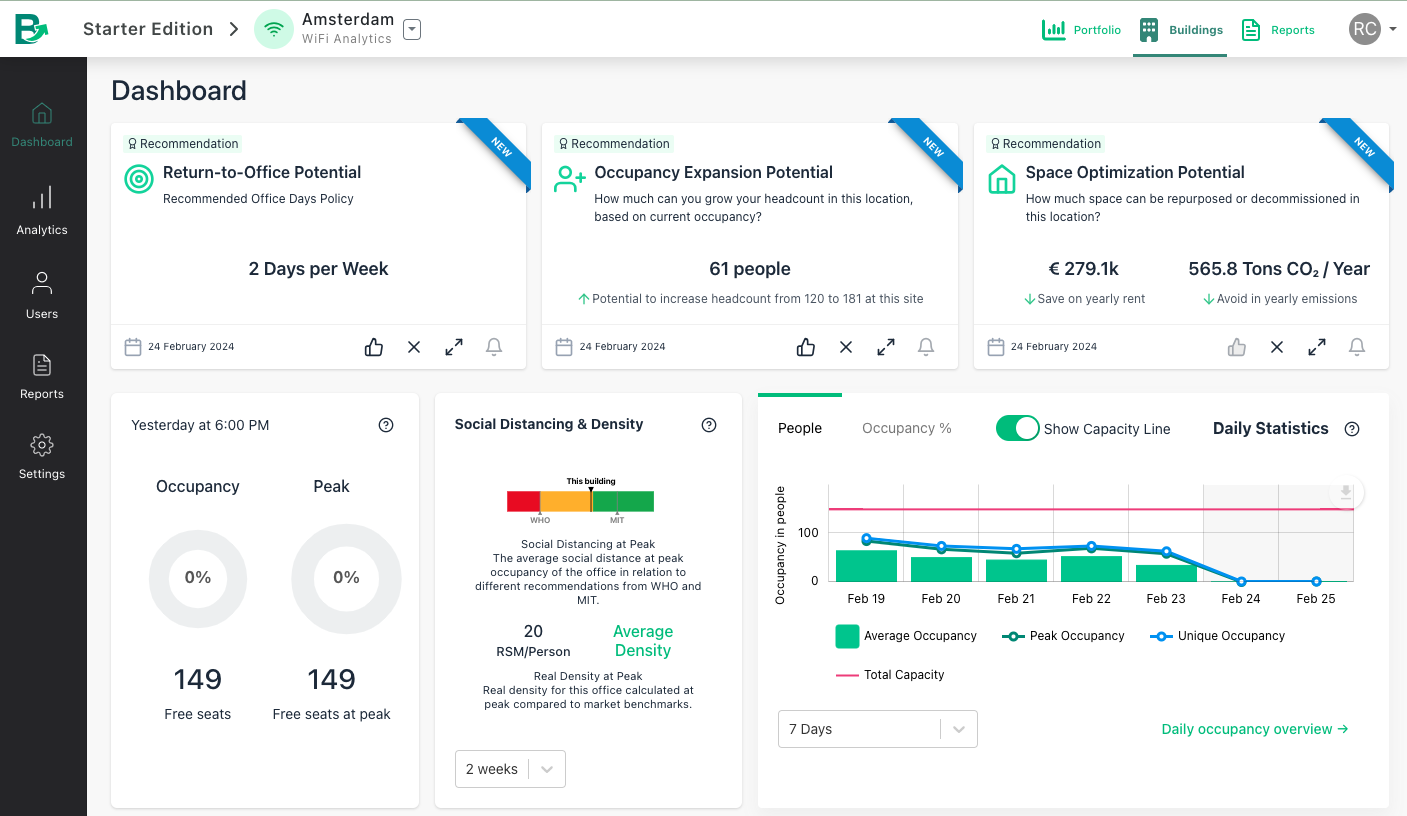
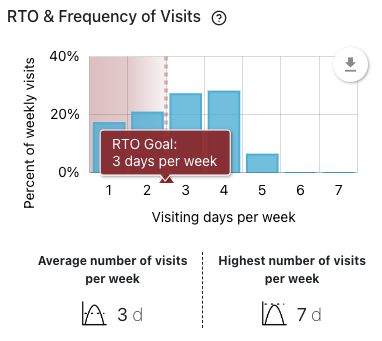
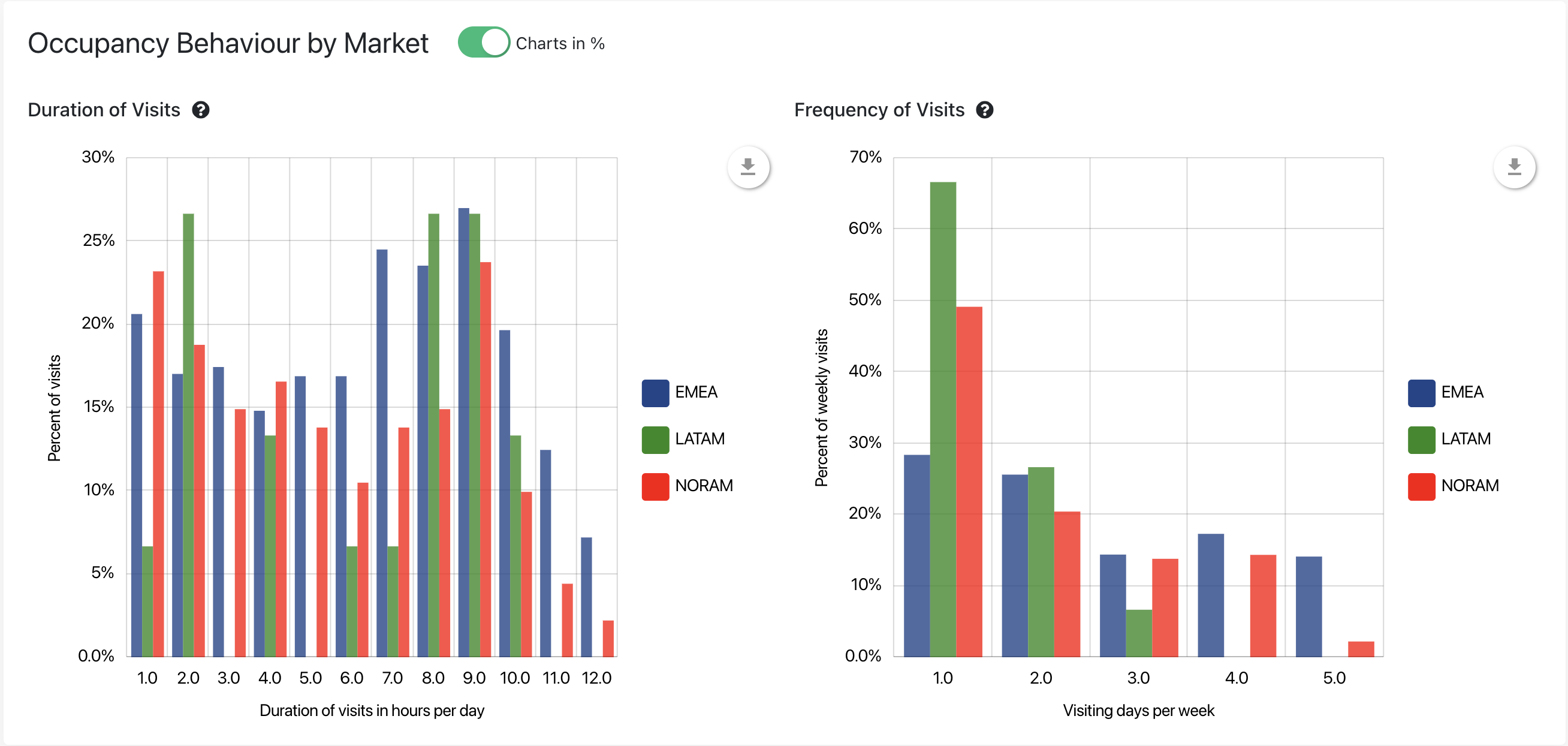
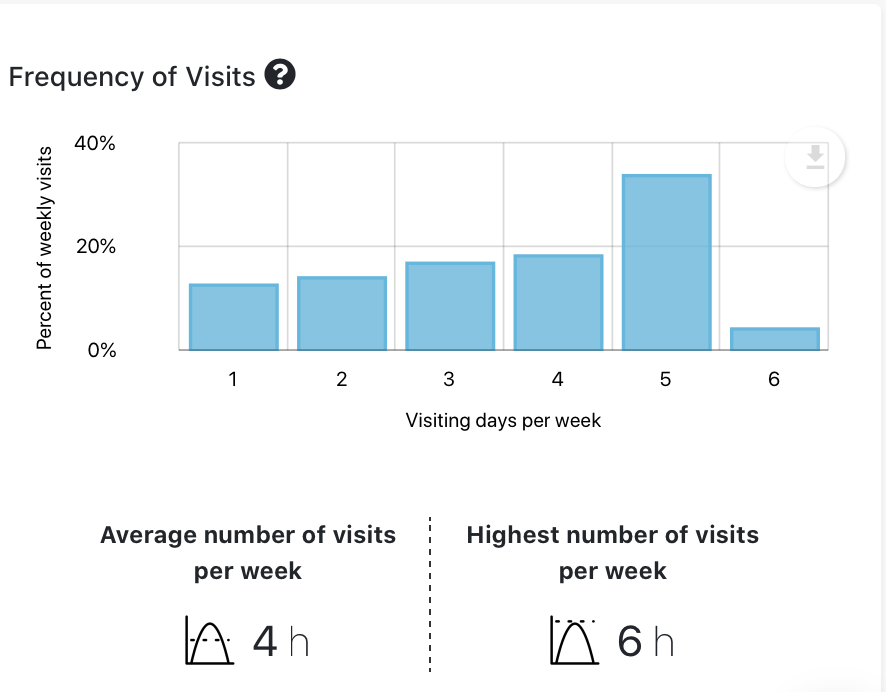
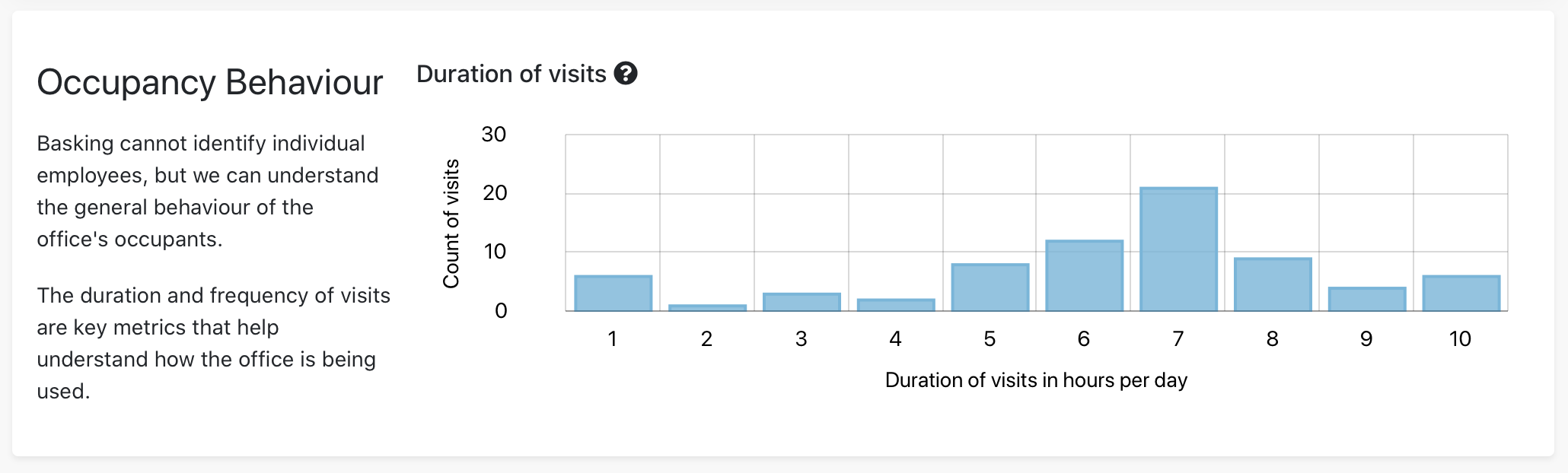
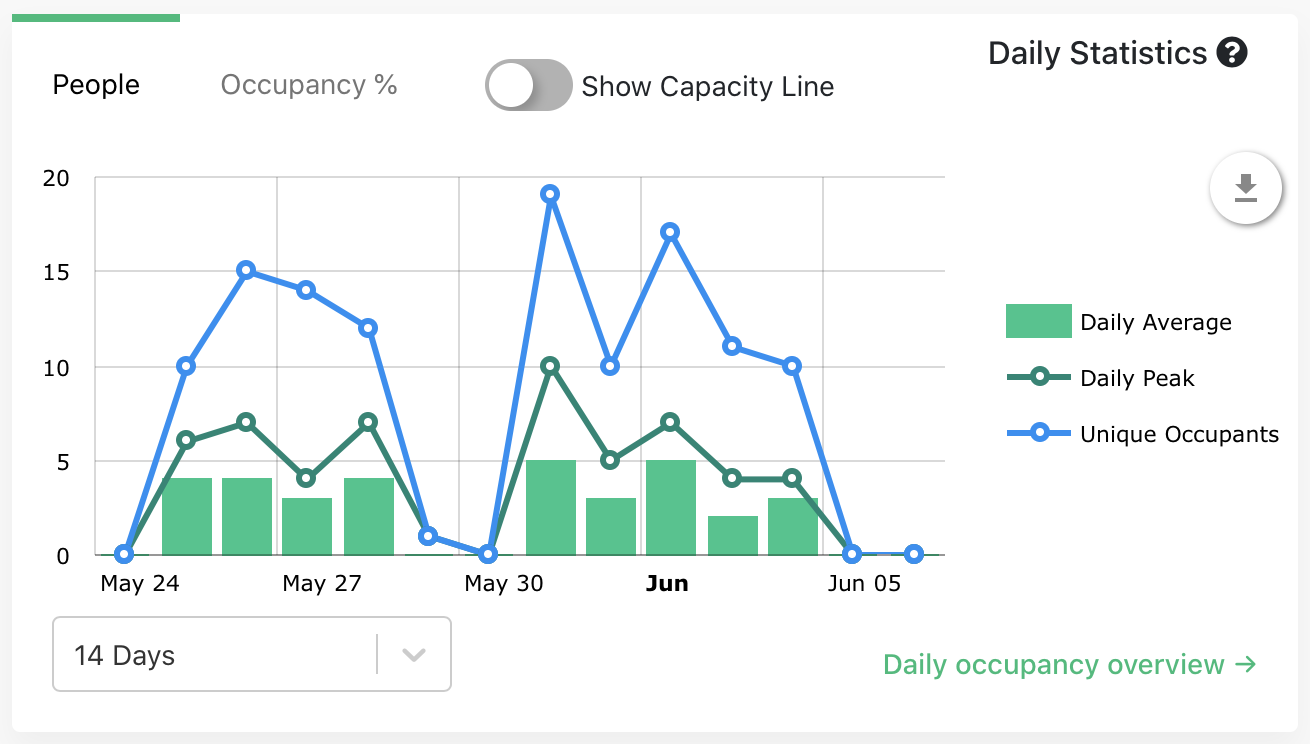
The output is real-time and historical occupancy per zone, floor, building and portfolio: attendance by day, peak occupancy, utilization by space type, RTO compliance against your targets, and meeting room booking compared with actual use. Wi-Fi is the backbone, and the same platform can blend in badge and access control systems, room and desk booking tools, IWMS floor plans, workplace apps and PIR sensors where you want them, so every source strengthens the same picture.
How accurate is Wi-Fi occupancy data?
Accurate enough to make multi-million-euro property decisions on. Calibrated Wi-Fi occupancy data reliably tracks attendance, peak occupancy and utilization at portfolio, building, floor and zone level, which is exactly the resolution lease renewals, consolidations and hybrid workplace planning are decided at. Accuracy improves as the measured population grows, so whole floors and buildings are easier to estimate precisely than single rooms.
Accuracy is not luck. Four things decide it, and a mature platform handles all four for you:
Devices per person.
The biggest factor, and the reason device clustering matters. One person carries a laptop and a phone, another only a laptop. The ratio is stable within an office but differs between offices, so it is calibrated per site rather than assumed.
Authenticated sessions, not probe requests.
Phones randomize their hardware address when probing for networks, which makes unconnected devices unreliable to count. Platforms built for enterprise use work from authenticated sessions on the corporate and guest networks instead.
Non-human device filtering.
Printers, access points, building equipment and IoT devices all sit on the network. Removing them is a machine learning problem, and getting it wrong inflates every count.
Access point density and mapping.
Zone-level reporting needs access points mapped to floors and zones, which is usually done by importing the floor plans your IT or IWMS team already maintains.
How accuracy is established and verified
A serious platform does not ask you to take accuracy on trust. When a site is connected, it goes through a calibration phase of several weeks in which its output is compared against supplementary sources such as badge records or manual counts, using measures like mean absolute error and variance rate. After that, accuracy is tracked continuously rather than assumed, and sites can be recalibrated on demand.
You can run the same check yourself. Pick two or three contrasting spaces, count people manually at fixed times, for example 10:00, 13:00 and 15:00 on Tuesdays and Thursdays, over two to three weeks, and compare with what the platform reported for the same moments. You are looking for a consistent relationship rather than a perfect match, because a consistent bias can be corrected and random variation cannot.
Treat headline accuracy claims accordingly. A single percentage means little without knowing what was compared, over how many days, at what level of aggregation, and against what ground truth. Ask for the methodol
What Wi-Fi occupancy data can tell you
Wi-Fi is the only occupancy source that covers your entire portfolio from day one, every building, every floor, every day, including the informal spaces nobody books. Here is what it answers on its own, and where a second data source makes it sharper.
| What you want to know | Wi-Fi occupancy analytics | How |
|---|---|---|
| Daily attendance per building | Yes | Continuous counts across the whole portfolio |
| Peak occupancy by floor | Yes | Real-time and historical, calibrated per site |
| Which floors are underused | Yes | Utilization by space type, benchmarked over time |
| Visitors and contractors on site | Yes | Counted once they join the corporate or guest network |
| Zone and neighbourhood use | Yes | Access points mapped to floor plans and zones |
| RTO compliance against targets | Yes | Attendance tracked against your own RTO goals |
| Meeting rooms booked but empty | Yes, with booking data | Bookings compared with measured use, room by room |
| Whether a specific desk is taken | Yes, with a second source | Dock, booking or PIR sensor data layered on Wi-Fi |
Wi-Fi gives you the whole portfolio continuously. Where you need seat-level or exact room-level certainty, the same platform adds a second source rather than a second system.
The practical consequence: Wi-Fi is the right backbone for lease, consolidation, RTO and floor-planning decisions, where you need every building covered continuously rather than a sample of rooms. Where you also want desk-level or exact room-level certainty, the same platform layers booking, dock or PIR sensor data over the Wi-Fi baseline, so you get both without running two systems.
Wi-Fi, sensors and badge data together
These are usually presented as a choice. They work far better as layers. Wi-Fi covers the whole footprint from day one with no hardware and shows how people actually spread across floors and zones over time. Badge and access control data confirms building attendance and arrival patterns, and cross-checking it against Wi-Fi is one of the fastest ways to validate both. Room and desk booking data exposes the gap between what was reserved and what was used. PIR or other sensors add exact counts in the few rooms where that matters.
A modern occupancy platform ingests all of them. Basking offers more than 20 integrations covering Wi-Fi vendors, badge systems, booking and workplace apps, IWMS floor plans and sensors, so each source reinforces the same portfolio view rather than creating another silo. For the full picture of what is possible before buying any hardware, see our guide to measuring office occupancy without sensors.
Is Wi-Fi occupancy tracking GDPR compliant?
Yes. Done properly it is privacy by design, not a compliance workaround, and it satisfies GDPR in Europe, CCPA in the US and equivalent regimes elsewhere. The model is simple: anonymize before the data leaves the building, and report groups rather than individuals.
With Basking, a script stitches and anonymizes occupancy signals behind your firewall before anything reaches the platform. Every MAC address is hashed, salted and truncated, and with key Wi-Fi vendors it is hashed before it reaches the backend at all. No personal data is stored. Reporting is aggregated at team level at minimum, so the system shows how groups use space and cannot produce a map of who sat where.
That is backed by SOC 2 Type II and ISO 27001 certification alongside GDPR and CCPA compliance, which is what IT security, legal and European works councils actually ask for. A works council agreement is usually the longest step in any rollout, and it moves much faster when individual-level reporting is technically impossible rather than merely discouraged.
When you evaluate any vendor, ask four questions: what identifiers are stored, where anonymization happens, whether the system can produce a report about one named employee, and which certifications they hold. The answer to the third should be no.
How to find out what your own network can do
You do not need a procurement process to answer this. Ask your network team four questions:
- Which wireless platform do we run? Cisco Meraki, HPE Aruba, Juniper Mist, Extreme Networks and Huawei all expose the data an occupancy platform needs.
- Are access points mapped to floors and zones? If not, that mapping is the one piece of setup work required.
- How long is historical connection data retained? This decides whether you can analyse last year or have to start measuring now.
- Do we have API access to the wireless management platform? Occupancy analytics reads through the API rather than touching the network.
With those answers you can judge in a day whether this is viable. A sensible first project is one building, four to six weeks of data, calibrated against manual counts, compared with whatever you currently believe about attendance.
Frequently asked questions
Can Wi-Fi be used to measure occupancy?
Yes. Enterprise Wi-Fi networks log which devices connect to which access point and when, and occupancy analytics platforms convert that into anonymized, real-time people counts per building, floor and zone. No additional hardware is needed, data is continuous rather than sampled, and deployment on a supported network takes hours rather than months.
How accurate is Wi-Fi occupancy data?
Accurate enough to base lease, consolidation and hybrid workplace decisions on. Enterprise platforms establish accuracy through a calibration phase against badge records or manual counts when a site connects, then track it continuously using measures such as mean absolute error. Accuracy improves as the measured space gets larger, so floors and buildings are estimated more precisely than single rooms.
What is Wi-Fi triangulation?
Wi-Fi triangulation estimates where a device is by comparing its signal strength at three or more access points. It gives finer positioning than simply assigning a device to the nearest access point, and it needs a reasonably dense access point deployment to work well.
Does Wi-Fi occupancy data count people or devices?
It counts devices, then converts them to people. The platform removes fixed equipment such as printers and access points, groups devices belonging to the same person, and applies a devices-per-person ratio calibrated for your office. Without that conversion step, raw device counts overstate occupancy substantially.
Can you measure meeting room occupancy with Wi-Fi?
Yes, and it is most powerful combined with booking data. Platforms with dedicated meeting room analytics compare what was booked against what was actually used, which surfaces ghost bookings and tells you whether you have the right number and size of rooms. Where you need an exact headcount in a specific room, add a PIR or similar sensor to the same platform.
Do you need new hardware for Wi-Fi occupancy analytics?
No. The access points are the hardware, and they are already installed, which is why this is called sensorless occupancy analytics. What is needed is API access to the wireless management platform and a mapping of access points to floors and zones. Sensors remain an option you can add later for specific rooms, not a prerequisite.
Does MAC address randomization break Wi-Fi occupancy tracking?
It breaks counting of devices that never connect, because phones invent a new address for each probe. It does not break counting of authenticated sessions on the corporate or guest network, which is what reliable platforms use.
Is Wi-Fi occupancy tracking legal in the EU?
Yes, when the platform is designed for it. Look for pseudonymized and aggregated data, reporting held at team level or above, short retention of raw identifiers, AI models that are never trained on your data, and SOC 2 Type II certification alongside GDPR compliance. Involve your data protection officer and, in continental Europe, the works council before rollout.
Final thoughts
Your network already sees how your offices are used. Wi-Fi occupancy analytics is the fastest and cheapest way to turn that into decisions: full portfolio coverage in hours, continuous data rather than a sample week, no hardware, and accuracy established through calibration and tracked continuously afterwards.
For the questions that cost real money, whether to renew a lease, which floors to consolidate, how much space a hybrid workforce actually needs, that is the data you need. Add booking, badge or sensor data on top wherever you want more granularity, and keep it all in one view.
The only way to know whether it works in your buildings is to calibrate it against a few weeks of manual counts. If the numbers hold, you have continuous occupancy data for every site at no hardware cost.
Basking occupancy analytics
See what your Wi-Fi already knows
Basking turns your existing network into anonymized occupancy data for every building and floor, in hours and with no new hardware. Works with Cisco Meraki, HPE Aruba, Juniper Mist, Extreme Networks and Huawei.